PF Withdrawal
As per PF Rules;
- PF can be withdrawn after 2 months from the date of leaving.
- Employer Contribution of PF can be withdrawn, if Employee has worked for more than 180 days.
- Employee & Employer contribtion of PF can be transfered to another Company where Employee has joined.
- Employee has to apply online for PF Withdrawal.
- For online PF Withdrawal, Aadhar No & Bank Details registration is Compulsory.
- For online PF Withdrawal, UAN Activation is Compulsory.
Procedure for PF Withdrawal
PF Withdrawal can be applied through below mentioned Link.
https://unifiedportal-mem.epfindia.gov.in/memberinterface/
Download Form 15G
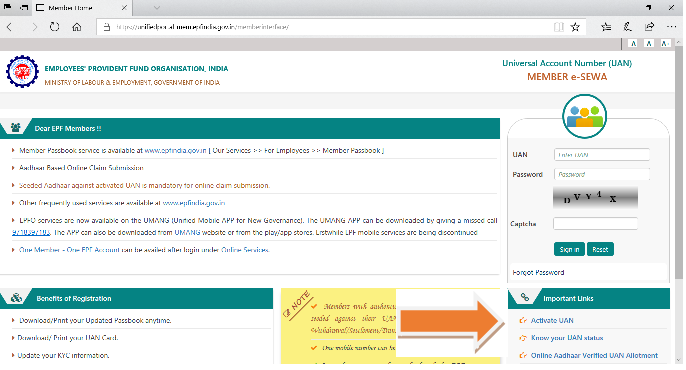
1. To Activate UAN click on "Activate UAN" as presented below.
2. Enter details as per below screen.
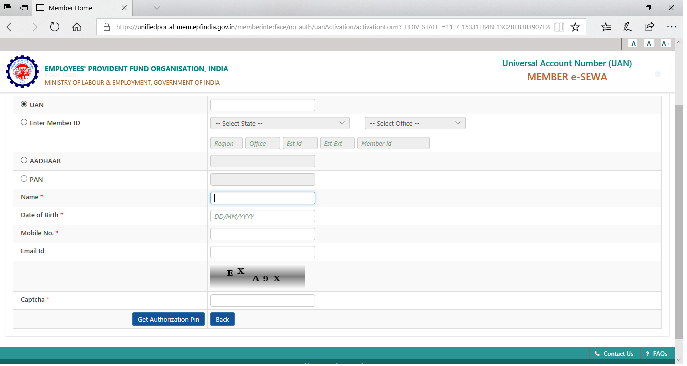
3. After entering above details, click on Get Authorization PIN, an PIN will be sent to employee’s registered Mobile Number.
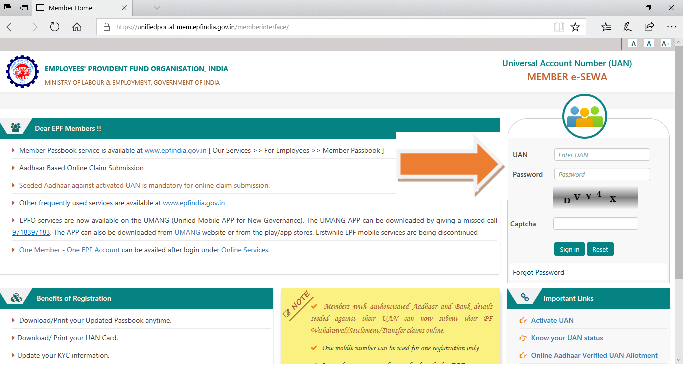
4. Employee can login in PF Withdrawal portal by entering his UAN and Password as PIN Received on his Mobile, through option displayed below.
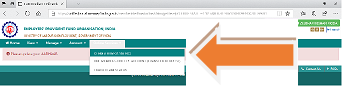
5. After Login, click on option displayed below, for PF Withdrawal and fill details
Perfect enroller
India Pvt. Ltd.
B/604, Neeta Apartment, Sejal Park,
Opp. Motilal Nagar 1, Off New Link Road,
Goregaon (W), Mumbai 400104 INDIA.
For Any Assistance, Call us on
Phone No. : +91 22 35643596
Mobile No. : +91 9326151505
Write to us at :
hr@perfects.in
Office Timing (Except National,State Holiday) :
Monday to Friday : 11.00AM to 7.00PM
Saturday : 11.00AM to 3.00PM